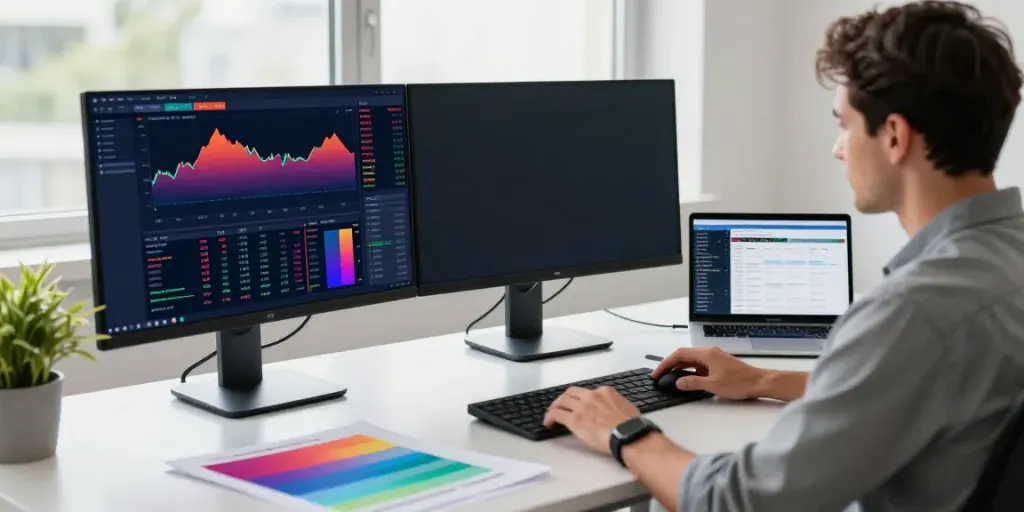
Understanding the Essentials of TradingView
As the trading landscape evolves, platforms that aggregate complex market data into actionable insights have become indispensable for traders and investors alike. TradingView stands out as a powerful tool that allows users to not only track market movements but also analyze charts and collaborate with other traders in real time. This article delves into TradingView's core features, usage, and the benefits it offers for various trading strategies and styles. Whether you are a seasoned trader or a beginner, understanding how to leverage TradingView can significantly enhance your trading experience.
What is TradingView and How Does It Work?
TradingView is a robust financial analysis platform that provides users with the tools needed to chart data for a multitude of trading assets, including stocks, forex, cryptocurrencies, and derivatives. Founded in 2011, it combines social networking features with advanced analytical capabilities, enabling traders to create and share insights. Users can customize their dashboards, utilize a variety of charting tools, and even write custom scripts using Pine Script to tailor their trading strategies to their specific needs.
The platform operates on a freemium model: while many features are available free of charge, premium subscriptions unlock advanced capabilities, such as more indicators and customizable alerts. Users can engage with a global community, gaining insights from collective market knowledge, which is both informative and collaborative.
Core Features of TradingView for All Traders
- Interactive Charts: TradingView provides highly interactive and customizable charts that let users visualize data across multiple timeframes and asset classes.
- Pine Script: This integrated scripting language enables traders to create custom indicators and backtest trading strategies.
- Strategy Tester: Users can verify their trading strategies against historical data to understand performance metrics before applying them in real scenarios.
- Real-time Data: TradingView offers real-time pricing data for a wide range of assets, essential for making informed trading decisions.
- Alerts System: Users can set alerts on price movements, technical indicators, or custom scripts to remain informed without having to monitor the markets constantly.
Benefits of Using TradingView Over Other Platforms
One of the primary advantages of TradingView is its all-in-one interface, which integrates charting, analysis, and alerts into a single workspace. Unlike traditional trading platforms that may require multiple tools, TradingView’s streamlined approach helps users focus on their trading strategies. Additionally, the active community aspect promotes knowledge sharing, allowing users to learn from experienced traders and market professionals.
Furthermore, TradingView's extensive library of public scripts and strategies empowers users to adapt proven techniques in their trading without needing extensive programming knowledge. This aspect, coupled with regular updates and new feature rollouts, makes TradingView a dynamic platform suitable for traders of all experience levels.
Setting Up Your TradingView Workspace
Creating an effective workspace in TradingView is crucial for enhancing your trading efficiency and effectiveness. The way you structure your charts, tools, and data can impact your trading performance significantly. Below, we provide a step-by-step guide to customizing your dashboard and optimizing your workspace.
Customizing Your Dashboard: Step-by-Step Guide
To begin customizing your TradingView dashboard, follow these steps:
- Create Your Account: Sign up for an account on TradingView. The free version offers ample features for beginners, while premium versions cater to more advanced traders.
- Select Your Layout: TradingView allows you to choose from various layout options. Select a layout that fits your trading style, whether you prefer a single chart or multiple charts side by side.
- Add Indicators: Click on the indicators icon to access TradingView’s extensive collection of technical indicators. Add the ones that align with your trading strategies.
- Incorporate Alerts: Set up alerts for key trading signals, such as price levels or indicator thresholds, ensuring you stay updated without constant monitoring.
- Save Your Workspace: Once satisfied with your setup, save your workspace to ensure you can easily return to it later.
Integrating TradingView with Other Trading Tools
Integrating TradingView with other trading tools can significantly streamline your trading process. Many traders utilize broker integrations, allowing them to execute trades directly from TradingView. This feature eliminates the need to switch between platforms, enhancing efficiency.
Additionally, consider integrating TradingView with financial news platforms and economic calendars to stay abreast of market-moving events. This holistic approach allows traders to make informed decisions based on both technical and fundamental analysis.
Best Practices for Monitoring Multiple Assets in One View
For traders dealing with multiple assets, monitoring them efficiently is key. Here are some best practices:
- Use Multi-Chart Layouts: Set up multiple charts for different assets on your dashboard to monitor them simultaneously.
- Apply Consistent Timeframes: Use the same timeframes across charts for comparative analysis and to identify patterns more effectively.
- Group Assets by Type: Organize your charts by asset class (stocks, forex, crypto) to facilitate focused analysis.
- Set Alerts on Each Asset: Ensure you have alerts set for critical price movements across all traded assets to react promptly.
Advanced Trading Techniques Using TradingView
Once you're familiar with the basic functionalities of TradingView, you can explore advanced trading techniques that leverage its full potential. Utilizing Pine Script, backtesting strategies, and setting real-time alerts can provide traders with a significant edge.
Utilizing Pine Script for Custom Indicators
Pine Script is TradingView’s unique scripting language that empowers users to create custom indicators and strategies tailored to their specific trading requirements. Here's how to get started:
- Access the Pine Script Editor: Utilize the Pine Script editor accessible directly on TradingView to begin coding your custom indicator.
- Define Your Variables: Start by defining the input variables that your indicator will require.
- Write the Logic: Implement the logic for your indicator using the extensive documentation provided by TradingView.
- Test and Refine: Use the Strategy Tester to refine your indicator’s logic and ensure it meets your trading criteria.
- Publish and Share: Once satisfied, consider sharing your indicator with the TradingView community.
Backtesting Strategies with TradingView's Strategy Tester
Backtesting is a vital part of trading as it allows traders to test their strategies against historical data. TradingView's Strategy Tester provides a user-friendly interface for this:
- Select Your Strategy: Choose or create a strategy using Pine Script that you wish to backtest.
- Set the Parameters: Specify the historical timeframe and other parameters relevant to your strategy.
- Analyze Results: Evaluate the results provided by the Strategy Tester, focusing on metrics such as win rate and maximum drawdown.
- Adjust According to Findings: Use insights gained from backtesting to refine your strategy before applying it in live trading.
Real-time Alerts: How to Optimize Your Trading Setup
One of TradingView’s standout features is its alert system, which can significantly enhance your trading setup:
- Price Alerts: Set alerts based on specific price levels to be notified when assets reach critical thresholds.
- Indicator Alerts: Create alerts based on technical indicators like MACD or RSI, customizing them to your trading strategy.
- Combining Alerts: Combine various alert triggers to ensure you are informed of both price movements and indicator signals to make the most informed trading decisions.
Strategies for Successful Trading with TradingView
To maximize your success with TradingView, it's essential to formulate a coherent trading strategy. Successful traders often base their methods on thorough analysis and community insights.
Formulating Your Trading Strategy: Key Considerations
When developing your trading strategy, consider the following key elements:
- Market Analysis: Conduct both technical and fundamental analysis to understand market conditions.
- Clear Entry and Exit Points: Define specific entry and exit criteria to avoid emotional trading decisions.
- Risk Management: Establish risk management protocols, including position sizing and stop-loss placements to protect your capital.
- Review and Adapt: Regularly review your trading performance and adapt your strategy based on what the market is telling you.
Using Community Insights for Enhanced Decision Making
Leveraging community insights can provide invaluable support to your trading strategy. Here are some ways to do so:
- Follow Experienced Traders: Monitor ideas posted by experienced traders on TradingView to gain fresh perspectives.
- Engage in Discussions: Participate in community discussions to learn about different strategies and market sentiments.
- Use Community Scripts: Test and adapt community-created scripts that align with your trading style to enhance your methodology.
Avoiding Common Pitfalls and Misconceptions in Trading
Traders must be aware of common mistakes and misconceptions that can detract from their success. Here are some pitfalls to avoid:
- Overtrading: Many traders fall into the trap of overtrading, often driven by emotions rather than strategy.
- Ignoring Fundamentals: While technical analysis is vital, neglecting fundamental analysis can lead to missed opportunities or unexpected losses.
- Failing to Adapt: The market is always evolving. Strategies that worked in the past may not be successful in changing conditions, so flexibility is key.
The Future of Trading with TradingView
As technology continues to reshape finance, understanding emerging trends and how to adapt to them is crucial for traders. With TradingView positioned at the forefront, here's what to expect in the future.
Emerging Trends and Predictions for 2026 and Beyond
Expect an increasing integration of artificial intelligence and machine learning in trading platforms. Tools that provide predictive analytics and automated trading strategies will likely dominate the market, allowing traders to capitalize on new opportunities more efficiently.
Moreover, the rise of decentralized finance (DeFi) and its incorporation into traditional trading platforms like TradingView may offer traders more versatility in their investment options.
The Role of Technology in Transforming Trading Practices
Technology has already transformed trading practices, and it will continue to do so. Enhanced data visualization tools, such as advanced charting features and the utilization of augmented reality for real-time data representation, are just on the horizon.
Trading platforms will also prioritize user experience, making it easier for traders to navigate complex data while enhancing customization options.
How to Stay Ahead of the Curve with TradingView Innovations
To stay ahead, traders must engage with ongoing education and actively participate in the TradingView community. By being optimistic and open to new innovations, traders can adapt their strategies and maintain an edge in an ever-evolving market.
Is TradingView actually free?
Yes, TradingView offers a free tier with access to a plethora of features. However, for advanced functionalities like additional indicators, multiple chart layouts, and certain alerts, a paid subscription is necessary.
Can you trust TradingView?
TradingView is widely recognized in the trading community for its reliability and extensive features. It is a trusted platform among both retail and professional traders, ensuring safety and security for its users.
What's better than TradingView?
While there are several other trading platforms available, many lack the integrated community features and comprehensive tools found in TradingView. The choice often depends on personal preferences and specific trading needs.
How does TradingView compare with other platforms?
Compared to traditional trading platforms, TradingView’s unique combination of social trading capabilities, custom scripting, and a user-friendly interface positions it as a leading choice for traders who value data-driven analysis and community engagement.
Can TradingView help with crypto trading?
Absolutely! TradingView supports a vast array of cryptocurrencies, providing traders with real-time data, advanced charting tools, and community insights tailored specifically for the crypto market.